RemotePass Email Examples
Explore RemotePass's email marketing campaigns and get inspiration for your own campaigns.
RemotePass Email Examples & Analysis
✨ Explore New Beta Features ✨
Discover our new beta feature, Trends, which provides deeper insights into a company's email practices. Gain access to detailed analytics and trends to enhance your understanding of email strategies.View RemotePass TrendsCompany Info:
No data for this brand. (async_created)Company Description:
No data for this brand.Industry Tags:
Tips for Creating Emails Like RemotePass
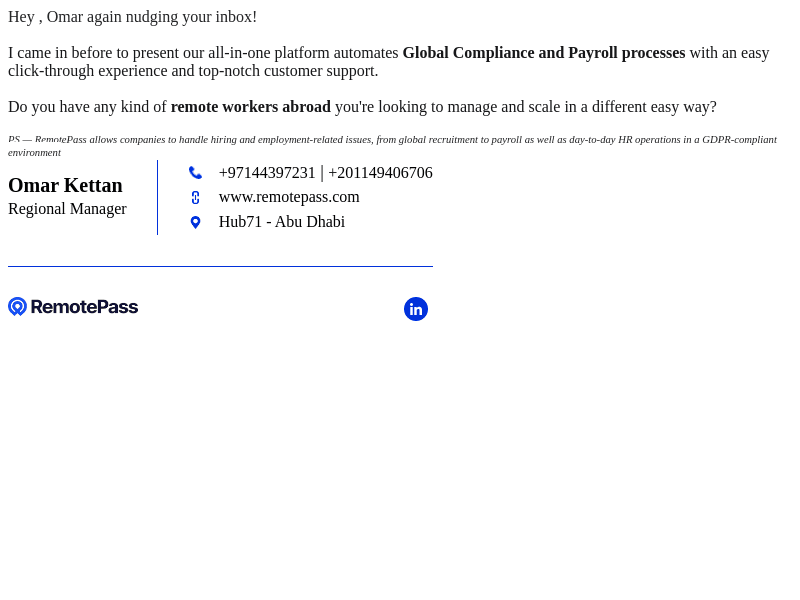
Company's Email strategy aims to effectively engage its audience by delivering relevant content and promoting its services through targeted campaigns. By focusing on clear messaging, personalized communication, and an approachable tone, they ensure that their audience feels valued and understood. The emails often highlight industry insights, practical solutions, and the unique benefits of using RemotePass's platform, emphasizing their commitment to supporting remote work and international collaboration. The strategic use of subject lines and visuals entices readers to open and engage with the emails, enhancing the company's brand image and fostering customer loyalty.
RemotePass's email style and design emphasize clarity, professionalism, and a modern aesthetic to resonate with their target audience. The emails are visually appealing, utilizing clean layouts, consistent branding, and attention-grabbing graphics. By incorporating a harmonious color scheme and easy-to-read fonts, the emails deliver a seamless user experience that effectively communicates the company's message and encourages interaction.
- Consistency in branding: Ensure all elements like logos, colors, and fonts align with your brand image to create recognition.
- Clear and concise messaging: Keep the text simple and direct to engage the reader effectively without overwhelming them.
- Personalization: Use the recipient's name and tailor content to their interests or interactions to create a sense of individual connection.
- Eye-catching visuals: Use relevant images or graphics that complement the text and enhance understanding.
- Mobile optimization: Design your emails to be mobile-friendly, as many users read emails on their smartphones.
- Strong call-to-action (CTA): Include a clear and compelling CTA that guides the reader on what to do next.
- Test different layouts: Experiment with various layouts to identify which works best for engagement and readability.